CPAPGuide
Why a CPAP gets more hours from a DC adapter than from AC
Running a CPAP from a power station's AC outlet wastes some of the battery on conversion. How the DC path differs, how big the gap is in our numbers, and what to check before you switch.
Last updated
- 3 power stations
- 6 devices
As an Amazon Associate I earn from qualifying purchases. How we make money
This page sizes a power supply. It is not medical advice. Check your CPAP manual and talk to your equipment supplier before relying on battery power overnight.
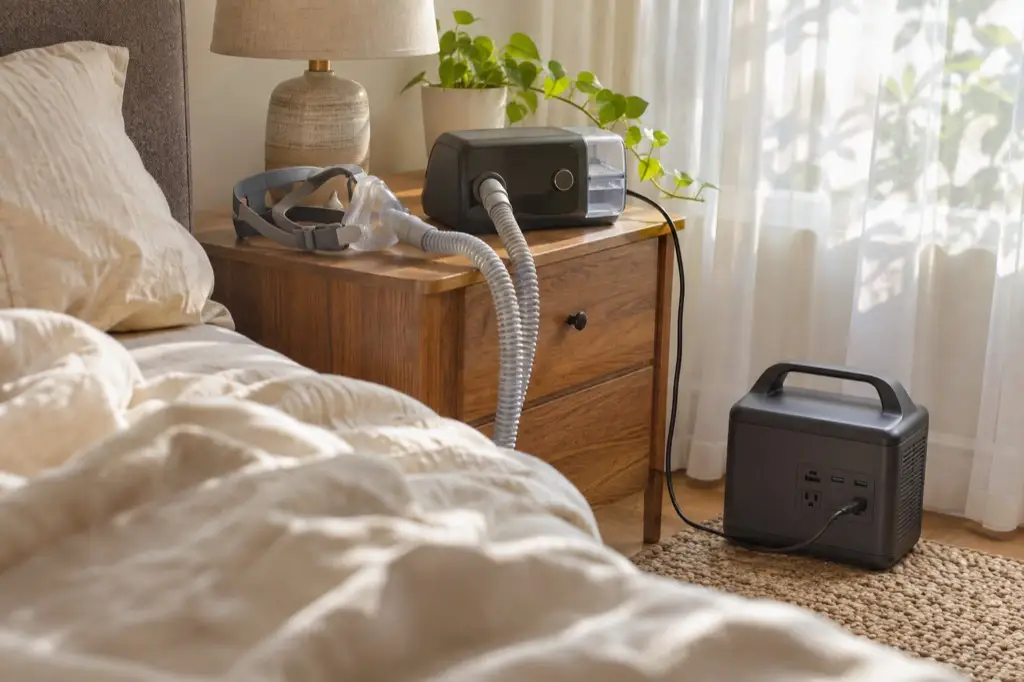
Plug a CPAP into a power station’s AC outlet and the power gets converted twice. The battery stores DC. The station’s inverter turns that into AC for the outlet, and then the CPAP’s own power brick turns it straight back into DC, because that’s what the machine actually runs on. Both steps lose a little energy as heat. A DC adapter plugs into the station’s 12V car port and skips the inverter, so less of the battery is spent on getting power to the machine.
There’s a second, quieter loss. An inverter draws power just to be switched on, whatever is plugged into it. A CPAP is a small load, so that standing draw is a bigger share of the total than it would be with, say, a microwave, and it runs all night.
How big the difference is in our numbers
Take a ResMed AirSense 11 on an EcoFlow DELTA 2. Through the AC outlet we calculate 15.5 hours. Through a DC adapter, 16.5 hours. DC wins, but not by a lot.
The ResMed AirSense 11 runs on AC power for 15.5 to 17.5 hours and on 12V DC for 16.5 to 18.5 hours, depending on the power station and mode.
| Power station | Rated capacity (Wh) | Mode | Power path | Runtime (hours) |
|---|---|---|---|---|
| EcoFlow DELTA 2 | 1,024rated spec | Typical power consumption (manufacturer figure) | AC | 15.5calculatedsurge unverified: Startup surge not specified |
| EcoFlow DELTA 2 | 1,024rated spec | Typical power consumption (manufacturer figure) | 12V DC | 16.5calculatedsurge unverified: Startup surge not specified |
| Jackery Explorer 1000 v2 | 1,070rated spec | Typical power consumption (manufacturer figure) | AC | 16.0calculatedsurge unverified: Startup surge not specified |
| Jackery Explorer 1000 v2 | 1,070rated spec | Typical power consumption (manufacturer figure) | 12V DC | 17.0calculatedsurge unverified: Startup surge not specified |
| Bluetti AC180 | 1,152rated spec | Typical power consumption (manufacturer figure) | AC | 17.5calculatedsurge unverified: Startup surge not specified |
| Bluetti AC180 | 1,152rated spec | Typical power consumption (manufacturer figure) | 12V DC | 18.5calculatedsurge unverified: Startup surge not specified |
Last updated 2026-11-13. Bars are scaled to the longest runtime in this table. Assumptions: AC efficiency 85% assumed; 12V DC efficiency 90% assumed. How we calculate runtime
The gap in that table comes entirely from two assumptions: a fixed efficiency for the AC path and a fixed one for the DC path, both listed under the table. We don’t have published figures for these stations, so we use the same defaults for every station (our methodology explains them). We also use ResMed’s single typical figure for both paths, because the manuals we used give one figure, not a separate one for DC.
So the real gap on your station could be smaller or larger than ours. The defaults are one flat figure per path and don’t model any particular inverter’s standing draw, and inverters differ. When we measure a pair ourselves, the table will switch to “measured”.
The same pattern holds for every CPAP in our data that has a DC adapter. Our CPAP runtime page has the full AC and DC tables for each machine.
Before you switch to DC
Get the right adapter for your machine. It needs to be the DC cable or converter your CPAP’s maker approves for that model, not a generic one. In our data the ResMed AirSense 10, ResMed AirSense 11, ResMed AirMini and Philips DreamStation 2 have a DC option. The user guides for the Breas Z1 and Breas Z2 Auto don’t describe one, so for those the AC outlet is the way.
Check the car port can carry the current. A 12V car port has an amp limit, and the CPAP’s draw divided by 12 has to fit under it. Every station here is rated at 10 A. The DreamStation 2 is the worst case in our data, because the only figure we have for it is its power supply rating, and even that fits:
3 of 3 power stations below can run the Philips DreamStation 2 in every listed mode.
| Power station | Mode | Runs it? | Why |
|---|---|---|---|
| EcoFlow DELTA 2 | Power supply rating (80 W; upper bound, not typical draw) | Yes (surge unverified) | AC: 80 W is within the 1,800 W inverter limit; AC: Startup surge not specified; 12V DC: 6.7 A is within the 10 A 12V port limit; 12V DC: Startup surge not specified |
| Jackery Explorer 1000 v2 | Power supply rating (80 W; upper bound, not typical draw) | Yes (surge unverified) | AC: 80 W is within the 1,500 W inverter limit; AC: Startup surge not specified; 12V DC: 6.7 A is within the 10 A 12V port limit; 12V DC: Startup surge not specified |
| Bluetti AC180 | Power supply rating (80 W; upper bound, not typical draw) | Yes (surge unverified) | AC: 80 W is within the 1,800 W inverter limit; AC: Startup surge not specified; 12V DC: 6.7 A is within the 10 A 12V port limit; 12V DC: Startup surge not specified |
Last updated 2026-11-13. How we check compatibility
The “surge unverified” note is there because none of the CPAP manuals we used give a startup figure, so we can’t check it. We only mark a check as fully passed when we have the number.
Read what your manual says about the humidifier on DC. The humidifier and heated tube add to the draw, and turning them off is the usual way to stretch a battery. Check your manual and talk to your equipment supplier before you change how you use them.
Switch the AC side off. If nothing else is plugged into the AC outlets, turn the inverter off so it isn’t drawing power for nothing. Your station’s manual shows how; on many stations the AC outlets have their own button.